Animate a 15-Second Short
Maps to: Illustrator/Animator · Motion Designer · VFX Artist · Filmmaker · Illustrator
You're going to make a 15 to 30 second animation: something that loops (it plays over and over with no visible break), a tiny story, or one thing turning into another. Working in seconds forces something hard: every second has to carry something (story, movement, or meaning) or it gets cut. That's the same decision real animators make about what to keep and what to throw out. You'll end with a finished animation posted wherever you want it.
You're done when: A 15 to 30 second animation where every second exists for a reason, posted somewhere real, and you can name the short video clips you cut to keep it short and focused. What matters is the editing: not 'I made some moving pictures,' but 'every clip belongs, and I can say which ones I dropped.'
How this shows up on a resume or college app
I animated a short piece using AI tools and posted it, working under a tight time limit so every frame had to count. I learned the constraint of working in seconds: there's no room for a frame that doesn't carry the motion or the meaning.
When you finish, BuildMe drafts your Common App activity description from what you actually built.
Not sure yet? Play 5 minutes as a illustrator/animator first and see how the work feels.
The plan
- 1
Step 1
Pick the one moment, then plan it out
Start with the one moment you can already see moving: leaves drifting into an empty pool, a hand reaching for the last slice. That's what everything else hangs off. Build around it into a storyboard: a plan of 4 to 6 pictures, one written sentence each, no drawing skills needed. With only 15 to 30 seconds to fill, this little plan is where the whole thing gets decided, and it's a real thing you keep.
- 2
Steps 2-3
Make the moving clips
Now make the movement, one storyboard picture at a time. Fair warning that saves the day: AI-made video comes out wrong more often than right at first, for everyone, so the way to work is short clips, lots of tries, and hunting for the few seconds that actually work. The free tools only let you make so many clips a day: that's a built-in break, not a wall you failed at, and this step often spans two days on purpose.
- 3
Step 4
Cut it down to what counts
The choice this whole project exists for: put your clips together, then cut down to only the seconds that deserve to stay. The 15 to 30 second limit is the point, because you can't keep everything, so what stays? That sense is exactly what this builds, and the short limit is what builds it.
- 4
Step 5
Add sound, post it, and finish
Add sound, put it out, and watch what makes people stop scrolling, because that's the movement doing its job. Sound is the cheapest upgrade in animation: the same edit feels twice as alive with music on it. Then it goes somewhere real (Shorts, Reels, or TikTok, all 13+ accounts) and you read how people react.
Tools you'll use
Real examples for inspiration

People Still Live Here V8.3 (2005 Gameplay)
Kane Parsons (Kane Pixels)

Lifewasters
Victoria Vincent (vewn)

BIGTOP BURGER: OVEN (Season 3)
Ian Worthington (Worthikids)

Animation vs. Physics
Alan Becker

Unanswered Oddities: Episode 7: Exercise (The Monoverse)
Neural Viz
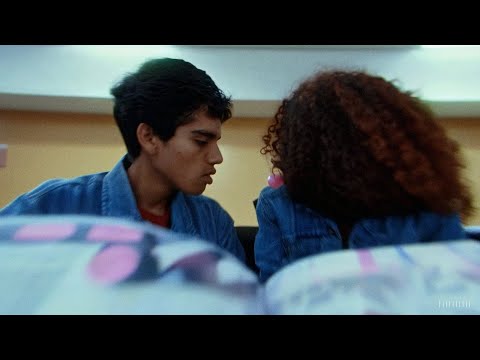
The Hardest Part (Washed Out): first commissioned Sora music video
Paul Trillo